Eurekiel is a custom-built 3D game engine written in C++17, targeting DirectX 12 with a focus on voxel-based worlds and modern deferred rendering. The engine is designed around a modular subsystem architecture, where each major system — graphics, resources, audio, input — is registered as an independent subsystem managed by a central Engine singleton. This keeps the codebase extensible without tight coupling between modules.
The rendering backend features SM6.6 bindless resource management, a full deferred shading pipeline compatible with the Iris shader specification, and a Shader Bundle system with multi-layer fallback for shader availability. The voxel module implements a complete Minecraft-style world system with chunk management, biome generation, fluid simulation, and block-level lighting.
Architecture
Eurekiel follows a subsystem-based architecture. The Engine class acts as a central registry — game applications create and register subsystems during startup, and the engine manages their lifecycle (startup, per-frame update, shutdown) in dependency order.
// Subsystem registration during application startup
GEngine->RegisterSubsystem(std::make_unique<LoggerSubsystem>());
GEngine->RegisterSubsystem(std::make_unique<EventSubsystem>(eventConfig));
GEngine->RegisterSubsystem(std::make_unique<ResourceSubsystem>(resourceConfig));
GEngine->RegisterSubsystem(std::make_unique<RendererSubsystem>(renderConfig));
GEngine->RegisterSubsystem(std::make_unique<ShaderBundleSubsystem>(bundleConfig));
GEngine->RegisterSubsystem(std::make_unique<ImGuiSubsystem>(imguiConfig));

GEngine->Startup(); // initializes all subsystems in registration order
The main loop follows a classic BeginFrame -> Update -> Render -> EndFrame cycle. Each subsystem participates in the phases it cares about, and the application layer (Game) drives scene logic and render pass execution through the engine’s public API.
This design is intentionally similar to how engines like Unreal structure their module systems — the application layer calls into engine APIs, and the engine handles resource lifetime and hardware abstraction internally.
Engine Modules
Core
The foundation layer. Provides the Engine singleton, the EngineSubsystem base class, time management (Clock), error handling, and a property/configuration system. Also hosts several integrated subsystems:
- Logger — structured logging with categories and severity levels
- Console — in-game developer console with command parsing and history
- Event — publish/subscribe event bus for decoupled communication
- Schedule — YAML-driven task scheduling
- ImGui — Dear ImGui integration for debug UI and tooling
- Command — command registration and execution framework
Graphic (DirectX 12)
The modern rendering backend, built from scratch on DirectX 12. This is the largest module in the engine and is organized into several layers:
- DX12 Core — low-level API wrapper (
D3D12RenderSystem) handling device creation, command queues, swap chain, and resource barriers - Resource Management — typed GPU resources (
D12Buffer,D12Texture,D12RenderTarget,D12DepthTexture) all inheriting from a commonD12Resourcebase using the Template Method pattern - Bindless System — SM6.6 bindless architecture with a global descriptor heap, index allocator, and a minimal root signature (128 bytes). Supports millions of resources without rebinding
- Camera System — strategy-pattern cameras (
PerspectiveCamera,OrthographicCamera,ShadowCamera,UICamera) behind anICamerainterface - Shader Bundle — a shader packaging and fallback system inspired by Iris/OptiFine shader packs. Supports user-defined bundles with a three-tier fallback chain (Current -> Program -> Engine Default)
- Render Targets — centralized management of 16 color textures and depth buffers, matching the Iris
colortex0-15/depthtex0-2convention - Shadow System — shadow map generation and sampling
- Command Management —
CommandListManagerfor multi-queue command list recording and submission
The deferred pipeline supports a full 24-phase rendering schedule compatible with Iris’s WorldRenderingPhase, including geometry passes (terrain, terrain cutout, translucent, sky), shadow passes, deferred lighting, composite passes, and final output.
Math
A self-contained math library covering the typical needs of a 3D engine:
- Vectors (Vec2/3/4, IntVec2/3/4), 4x4 matrices, Euler angles, quaternion-adjacent rotation utilities
- Geometric primitives: AABB, OBB, spheres, planes, capsules, cylinders, convex hulls
- Curves: cubic Bezier, Hermite splines, easing functions
- Noise: raw and smooth noise generators for procedural content
- Raycasting and intersection utilities
Resource
A namespace-based resource management system. Resources are organized under configurable asset paths with namespace support (e.g., engine, simpleminer). The module handles:
- Resource discovery and scanning
- Typed loaders for textures, models, sounds, and block state definitions
- Texture atlas generation and management
- Resource metadata tracking
- Optional hot-reload for development workflows
Voxel
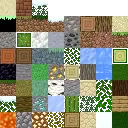
A complete Minecraft-style voxel engine implementation:
- Block System — block states, properties, placement context, and voxel shapes
- Chunk System — chunk data structures, chunk manager, and threaded mesh building (
BuildMeshJob) - World Generation — biome system with multi-noise biome sources, terrain generation, and feature placement (trees, ores, etc.)
- Fluid Simulation — block-level fluid propagation
- Lighting — per-block light propagation
- Time — in-world day/night cycle
Window
Native Win32 window management with message preprocessing support. Handles window creation, resize events, and input message routing. Configured through WindowConfig with resolution, aspect ratio, and window mode settings.
Renderer (Legacy)
The original rendering abstraction layer, designed around a DirectX 11-style immediate API. Provides IRenderer as a cross-API interface, along with legacy camera, texture, shader, buffer, font rendering (BitmapFont), sprite, and debug draw systems. This module is being superseded by the Graphic module for all new development, but remains in use for debug rendering and 2D utilities.
Application Integration
To build a game on top of Eurekiel, you write an App class that owns the engine lifecycle and a Game class that drives your scene logic. The engine itself is never main() — your application is. The engine is a library you initialize, configure, and tick.
Entry Point
The Win32 entry point creates the App, runs the loop, and tears down on exit. The message pump is called every frame before the app update to keep Windows responsive.
int WINAPI WinMain(HINSTANCE, HINSTANCE, LPSTR, int)
{
    g_theApp = new App();
    g_theApp->Startup();

    while (!g_theApp->IsQuitting())
    {
        RunMessagePump();   // process OS messages (input, focus, resize, etc.)
        g_theApp->RunFrame();
    }

    g_theApp->Shutdown();
    delete g_theApp;
    return 0;
}
Startup: Registering Subsystems
During App::Startup(), you create an Engine instance and register subsystems in dependency order. Each subsystem is constructed with a configuration struct, then handed to the engine via RegisterSubsystem. The engine takes ownership (via std::unique_ptr) and will manage the subsystem’s full lifecycle from that point on.
void App::Startup()
{
    Engine::CreateInstance();

    // Register subsystems in dependency order
    GEngine->RegisterSubsystem(std::make_unique<LoggerSubsystem>());
    GEngine->RegisterSubsystem(std::make_unique<EventSubsystem>(eventConfig));
    GEngine->RegisterSubsystem(std::make_unique<ResourceSubsystem>(resourceConfig));

    // Window and input are created before the renderer (it needs a target window)
    g_theWindow = new Window(windowConfig);
    g_theWindow->Startup();

    // Renderer subsystem -- configured via YAML with programmatic overrides
    auto renderConfig    = RendererSubsystemConfig::ParseFromYaml(".enigma/config/engine/renderer.yml")
                               .value_or(RendererSubsystemConfig::GetDefault());
    renderConfig.targetWindow = g_theWindow;
    GEngine->RegisterSubsystem(std::make_unique<RendererSubsystem>(renderConfig));

    // Shader bundle, ImGui, etc.
    GEngine->RegisterSubsystem(std::make_unique<ShaderBundleSubsystem>(bundleConfig));
    GEngine->RegisterSubsystem(std::make_unique<ImGuiSubsystem>(imguiConfig));

    GEngine->Startup();  // initializes all registered subsystems

    // Create the game object -- your scene logic lives here
    m_game = std::make_unique<Game>();
}
Subsystems can be retrieved later by type from anywhere in the codebase:
auto* renderer = GEngine->GetSubsystem<RendererSubsystem>();The Frame Loop
RunFrame() follows a four-phase cycle. The engine subsystems participate in BeginFrame and EndFrame; your game logic runs in Update and Render.
void App::RunFrame()
{
    BeginFrame();  // tick the clock, call GEngine->BeginFrame() + input begin
    Update();      // GEngine->Update(dt), then game logic
    Render();      // game draws the scene via render passes
    EndFrame();    // input end, GEngine->EndFrame() (present, flip, cleanup)
}
The engine’s BeginFrame/EndFrame handles GPU synchronization, swap chain management, and per-frame resource bookkeeping internally. The application layer never touches command lists or barriers directly — it works through render pass abstractions and the renderer subsystem API.
Shutdown
Shutdown runs in reverse registration order. The game object is destroyed first, then the engine subsystems, then the low-level systems (window, input).
void App::Shutdown()
{
    m_game.reset();          // destroy game first
    GEngine->Shutdown();     // shuts down all subsystems in reverse order
    g_theWindow->Shutdown();
    delete g_theWindow;
    Engine::DestroyInstance();
}
Build System and Integration
The engine and the game application live in separate Visual Studio solutions with a clear dependency boundary. The engine project (Engine.vcxproj) compiles as a static library (.lib), and the game project references it via a <ProjectReference>. This means MSBuild automatically builds the engine first, then links the resulting .lib into the game executable.
Include Paths
The game project sets up two root include directories:
$(SolutionDir)Code/          -- game-side code (e.g. #include "Game/Framework/App.hpp")
$(SolutionDir)../Engine/Code/ -- engine code   (e.g. #include "Engine/Core/Engine.hpp")
All engine headers are included with the Engine/ prefix, so game code always reads as #include "Engine/Graphic/..." or #include "Engine/Core/...". This keeps the boundary between engine and application explicit at the source level.
Library Linking
The linker searches these additional library directories:
Temporary/Engine_x64_Debug/(or Release) — the engine static library outputEngine/Code/ThirdParty/DXC/lib/x64— DirectX Shader Compiler import libraryRun/— runtime DLLs
The only explicitly listed link dependency is dxcompiler.lib. Everything else (D3D12, DXGI, Win32 APIs) comes through the engine’s static library or default Windows SDK linkage.
Post-Build Resource Copy
After a successful build, a post-build step copies the game executable into the Run/ directory and runs CopyEngineResources.bat to sync the engine’s .enigma/ asset tree (built-in shaders, default textures, configuration templates) into the game’s working directory. This ensures the runtime always has access to engine-provided fallback resources.
Third-Party Libraries
All third-party code is vendored under Engine/Code/ThirdParty/ and compiled directly into the engine static library (no separate .lib files except DXC). The dependencies are:
| Library | Purpose |
|---|---|
| d3dx12 | Microsoft’s D3D12 helper header library — convenience wrappers for barriers, descriptors, and resource descriptions |
| DXC | DirectX Shader Compiler — runtime HLSL compilation targeting Shader Model 6.x, linked as an import library with dxcompiler.dll at runtime |
| imgui | Dear ImGui — immediate-mode debug UI, compiled with DX11, DX12, and Win32 backends |
| json | nlohmann/json — single-header JSON parser for configuration and data files |
| TinyXML2 | Lightweight XML parser for legacy configuration (GameConfig.xml) |
| stb | stb_image and related single-header utilities for image loading |
| tinygltf | glTF 2.0 model loader |
| yaml-cpp | YAML parser for engine configuration files (renderer, schedule, shader bundle settings) |
| fmod | FMOD audio middleware (linked as a dynamic library, fmod64.dll) |
| googletest | Google Test framework for unit testing |