Kila: Hourbound is a third-person action-adventure platformer built in Unreal Engine 5.6 for PC and Steam Deck. Set in the world of Aion, the game features melee combat, fast-paced platforming, and a core time-manipulation mechanic that grants players special abilities. This was a capstone team project (C34 Teal Group) where I served as the gameplay systems and UI programmer, solely responsible for four custom C++ modules and the global event subsystem.
Gameplay Trailer
My Contributions
I independently designed and implemented the following four UE5 C++ modules and one global subsystem, providing Level Designers and Artists with a highly flexible, Blueprint-friendly framework for building gameplay content without touching C++:
- GameCommonModule is the foundation layer defining RPG attribute types, damage interfaces, ability haste, and reusable HUD widget templates.
- BuffModule is a complete Buff/Debuff system with lifecycle management, stacking policies, time tracking, and a full UI widget hierarchy.
- CoreAttributeModule provides an RPG attribute component with modifier pipelines, a unified damage processor, and health bar widgets for players and bosses.
- ActionModule is a Gameplay Ability System (GAS) built on GameplayTags, featuring action cooldowns, ability haste, charge stacking, and a hierarchical AbilityEntity spawning framework.
- EventSubsystem is a global event bus (GameInstanceSubsystem) centralizing cross-system communication via dynamic multicast delegates.
Module Architecture Overview
The four modules form a layered dependency graph. GameCommonModule sits at the foundation, BuffModule and CoreAttributeModule build on top of it, and ActionModule consumes all three. The EventSubsystem acts as a decoupled event bus across the entire project.
graph TD
    subgraph GameCommonModule["GameCommonModule (Foundation)"]
        AD[FAttributeData]
        DR[FDamageRequest / FDamageResult]
        AHI[IAbilityHasteListener]
        HWB[UHudWidgetBase]
        WTT[UWidgetToolTip]
        GC[UGameCommon Utils]
    end

    subgraph BuffModule["BuffModule (Buff/Debuff)"]
        BD[UBuffDefinition]
        BI[UBuffInstance]
        BM[UBuffModel]
        BC[UBuffComponent]
        BWC[UWidgetBuffContainer]
    end

    subgraph CoreAttributeModule["CoreAttributeModule (RPG Attributes)"]
        CAC[UCoreAttributeComponent]
        DAM[IDamageable]
        PHB[UWidgetPlayerHealthBar]
        BHB[UWidgetBossHealthBar]
    end

    subgraph ActionModule["ActionModule (GAS / Abilities)"]
        UA[UAction]
        UAC[UActionComponent]
        AE[AAbilityEntity]
    end

    subgraph EventSubsystem["EventSubsystem (Global Event Bus)"]
        ES[UEventSubsystem]
    end

    GameCommonModule --> BuffModule
    GameCommonModule --> CoreAttributeModule
    BuffModule --> CoreAttributeModule
    GameCommonModule --> ActionModule
    CoreAttributeModule --> ActionModule
    ES -.->|broadcasts| ActionModule
    ES -.->|broadcasts| CoreAttributeModule
    ES -.->|broadcasts| BuffModule
GameCommonModule: Foundation Layer
This module defines the shared data types, interfaces, and base UI classes consumed by every other module. It contains no gameplay logic itself, only contracts and utilities.
Attribute and Damage Types
All RPG attributes are defined in a single EAttributeType enum: Health, MaxHealth, MovementSpeed, Defense, AttackDamage, ResistPhysic, DamageReductionPhysic, ResistMagic, DamageReductionMagical, and AbilityHaste. The FAttributeData struct bundles these into a single container with full operator overloading (+, -, +=, -=) for convenient attribute math.
The damage pipeline is defined through two structs:
FDamageRequestcarries BaseDamage, EDamageType (Physical / Magical / TrueDamage / DirectHeal), crit chance, crit multiplier, and block flags.FDamageResultcarries FinalDamage, before/after health snapshots, crit/block/killing-blow booleans, and fullFAttributeDatasnapshots for VFX and animation systems.
Attribute modifiers use FAttributeModifier with four modifier types: FlatAdd, PercentAdd, PercentMult, and Override, each with a priority and source reference for clean removal.
Ability Haste Interface
The IAbilityHasteListener interface and FAbilityHasteContext struct define a contract for any component that needs to react to global ability haste changes. The CDR formula is CDR = Haste / (Haste + 100), matching the League of Legends model. Per-action haste modifiers (FPerActionHasteModifier) allow individual abilities to receive bonus haste from specific sources (e.g., a buff that only accelerates dash-family actions).
HUD Widget Templates
UHudWidgetBase provides a responsive HUD base class with child widget registration, viewport-size monitoring (checked every 0.1s), and automatic scaling between configurable min/max factors against a 1920x1080 reference resolution. UWidgetToolTip provides a tooltip base with dynamic height calculation, text wrapping, and anti-flicker logic.
BuffModule: Buff/Debuff System
The BuffModule is a self-contained, data-driven buff/debuff framework. Designers define buff behavior entirely through UBuffDefinition data assets and UBuffModel Blueprint subclasses. No C++ required for new buffs.
Class Diagram
classDiagram
    class UBuffDefinition {
        +int32 Id
        +FName BuffName
        +UTexture2D* Icon
        +int32 MaxStack
        +EBuffType BuffType
        +bool bIsForever
        +float Duration
        +float TickTime
        +EBuffTimeUpdate BuffTimeUpdate
        +EBuffRemoveStackUpdate BuffRemoveStackUpdate
        +TSubclassOf~UBuffModel~ OnCreate
        +TSubclassOf~UBuffModel~ OnRemove
        +TSubclassOf~UBuffModel~ OnTick
    }

    class UBuffInstance {
        +UBuffDefinition* BuffDefinition
        +AActor* Instigator
        +AActor* Target
        +float Duration
        +int32 CurrentStack
        +GetRemainingTime() float
        +GetRemainingPercentage() float
        +GetTimeStatus() EBuffTimeStatus
        +MarkAsRemoved()
    }

    class UBuffModel {
        +UBuffInstance* ParentBuffInstance
        +Apply()
        +OnCleanup()
    }

    class UBuffComponent {
        +TArray~UBuffInstance*~ BuffList
        +AddBuff(UBuffInstance*)
        +RemoveBuff(UBuffInstance*)
        +TickBuffAndRemove(float DeltaTime)
        +GetBuffsByTimeStatus()
        +GetBuffUIDisplayData()
    }

    class UWidgetBuffContainer {
        +TArray~EBuffType~ BuffTypeFilters
        +InitializeWithBuffComponent()
        +RefreshBuffDisplay()
    }

    class UWidgetBuffElement {
        +UBuffInstance* BuffInstance
        +UpdateDisplayData()
    }

    UBuffDefinition --> UBuffInstance : instantiates
    UBuffInstance --> UBuffModel : lifecycle callbacks
    UBuffComponent --> UBuffInstance : manages
    UWidgetBuffContainer --> UWidgetBuffElement : creates per buff
    UWidgetBuffElement --> UBuffInstance : displays
    UWidgetBuffContainer --> UBuffComponent : observes
Core Architecture
A UBuffDefinition is a configuration template that specifies everything about a buff: its icon, max stack count, duration, tick interval, type (Positive / Negative / Neutral), and three UBuffModel subclass references for the OnCreate, OnRemove, and OnTick lifecycle hooks. UBuffModel uses BlueprintNativeEvent so designers can implement buff logic entirely in Blueprint.
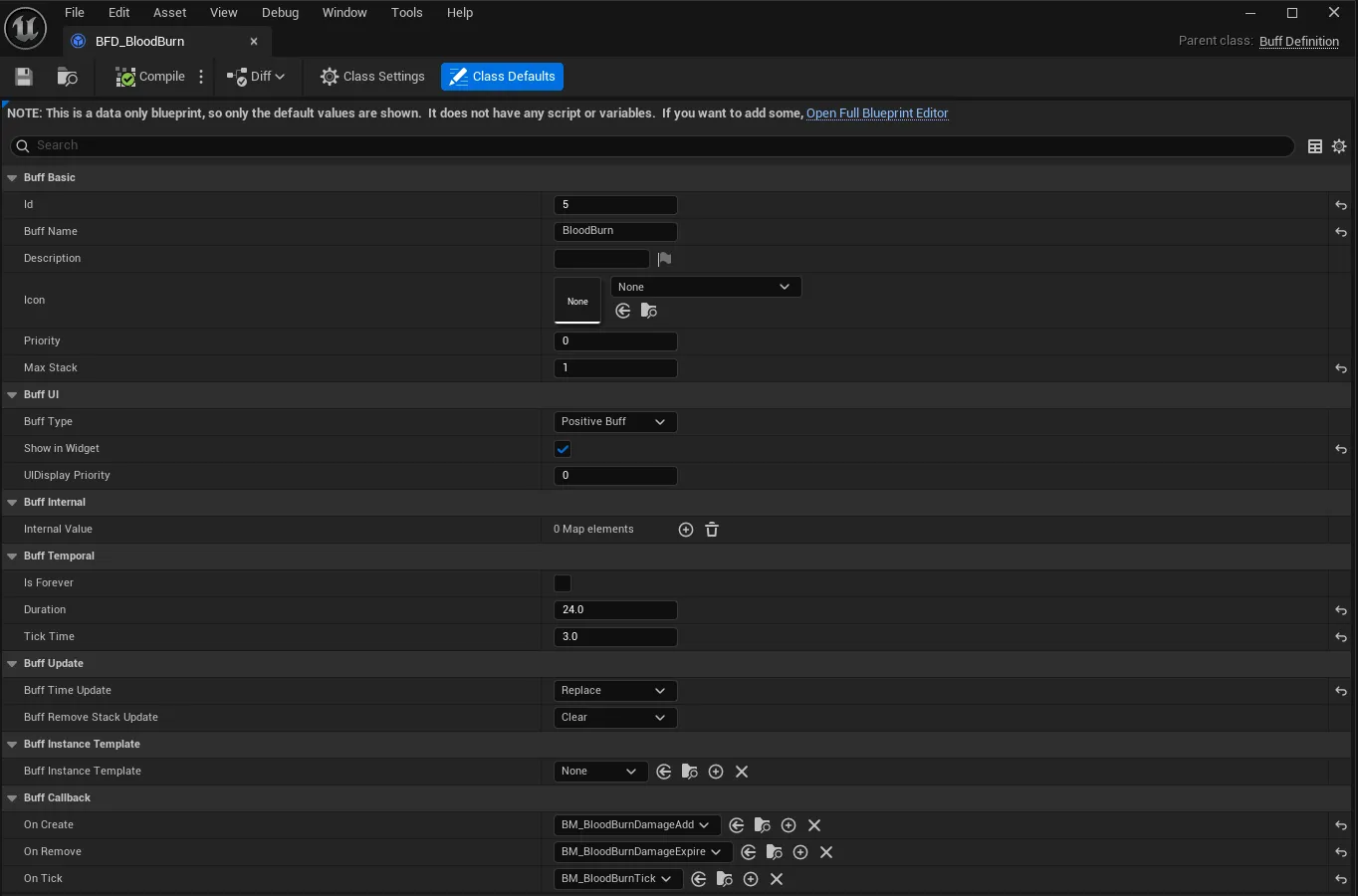
At runtime, UBuffComponent (attached to any Actor) manages an array of UBuffInstance objects. Each instance tracks its remaining duration, current stack count, and references to its instigator and target.
Stacking and Time Policies
When a buff is applied to a target that already has it, the system checks two policies:
- EBuffTimeUpdate controls duration behavior:
Add(accumulate duration),Replace(reset to full), orKeep(leave unchanged). - EBuffRemoveStackUpdate controls stack removal:
Clear(remove entirely regardless of stacks) orReduce(decrement stack, only fully remove at zero).
Buff Lifecycle Flow
flowchart TD
    A[AddBuffFromBuffDefinition] --> B{Buff already exists?}
    B -->|No| C[Create UBuffInstance]
    C --> D[Add to BuffList, sort by Priority]
    D --> F[Execute OnCreate BuffModel]
    F --> G[Broadcast BuffAddToBuffList]

    B -->|Yes| H{Stack < MaxStack?}
    H -->|Yes| I[Increment stack, update duration per policy]
    I --> K[Broadcast BuffAddToBuffListRepeat]
    H -->|No| L[Apply time update only]
    L --> K

    G --> M[TickComponent each frame]
    K --> M
    M --> N{TickTime elapsed?}
    N -->|Yes| P[Execute OnTick BuffModel, reset timer]
    N -->|No| R[Decrement Duration]
    P --> R
    R --> S{Expired or marked removed?}
    S -->|Yes| T[Execute OnRemove BuffModel]
    T --> U{RemoveStackUpdate policy}
    U -->|Clear| V[Remove entirely, destroy instance]
    U -->|Reduce| W{Stack <= 0?}
    W -->|Yes| V
    W -->|No| Y[Reset Duration, continue]
    S -->|No| M
Time Tracking API
The UBuffInstance exposes a rich time-query API: GetRemainingTime(), GetRemainingPercentage(), GetFormattedRemainingTime(), GetTimeStatus() (Permanent / Active / AboutToExpire / Expired), and GetTimeWarningLevel() (None through Critical). UBuffComponent provides batch queries like GetBuffsSortedByRemainingTime(), GetBuffsAboutToExpire(), and GetBuffUIDisplayData() which returns FBuffTimeDisplayData structs ready for UI consumption.
UI Widget Hierarchy
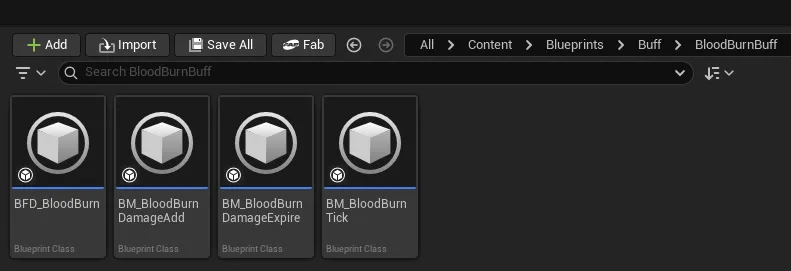
The UI layer follows a three-tier hierarchy: UWidgetBuffHudCanvas (top-level canvas managing multiple containers) contains UWidgetBuffContainer instances (each filtering by EBuffType and sorting by priority), which in turn create UWidgetBuffElement widgets per buff. Elements auto-update their icon, stack count, and duration text, and spawn UWidgetBuffTip tooltips on hover. The container supports configurable insert direction (left/right), auto-discovery of preset containers by name prefix, and a debug display mode that reveals hidden buffs.
Debug Console
UBuffConsoleCommands registers runtime console commands for rapid iteration: AddBuff, RemoveBuff, ListBuffs, ClearAllBuffs, ShowBuffInfo, and SetDebugMode.
CoreAttributeModule: RPG Attribute System
This module owns the runtime attribute state for every character in the game. It processes all damage and healing, manages modifier stacking, and provides health bar widgets for both players and bosses.
UCoreAttributeComponent
The central component attached to any Actor that participates in combat. It holds:
AttributeDataBaseholds base attribute values configurable per-actor in the editor.AttributeModifiersis a runtime array ofFAttributeModifierentries from buffs, equipment, or abilities.CachedFinalAttributesis the computed result after applying all modifiers, recalculated on demand.
Modifier application follows a strict order per attribute: FlatAdd first, then PercentAdd, then PercentMult, then Override. Each modifier carries a Source reference so it can be cleanly removed when the source (e.g., a buff) expires.
Damage Pipeline
flowchart LR
    A[FDamageRequest] --> B[ProcessDamageRequest]
    B --> C[Snapshot attributes before]
    B --> D{DamageType?}
    D -->|DirectHeal| E[ApplyHealing]
    D -->|Physical| F[Apply ResistPhysic + DamageReductionPhysic]
    D -->|Magical| G[Apply ResistMagic + DamageReductionMagical]
    D -->|TrueDamage| H[No reduction]
    F --> I{bCanBeCrit?}
    G --> I
    H --> I
    I -->|Yes| J[Roll CritChance]
    J -->|Crit| K[Apply CritMultiplier]
    J -->|Miss| L[Base damage]
    I -->|No| L
    K --> M[Apply to Health]
    L --> M
    M --> P[Snapshot attributes after]
    P --> Q{Health <= 0?}
    Q -->|Yes| R[KillingBlow = true]
    Q -->|No| S[KillingBlow = false]
    R --> T[FDamageResult]
    S --> T
    E --> T
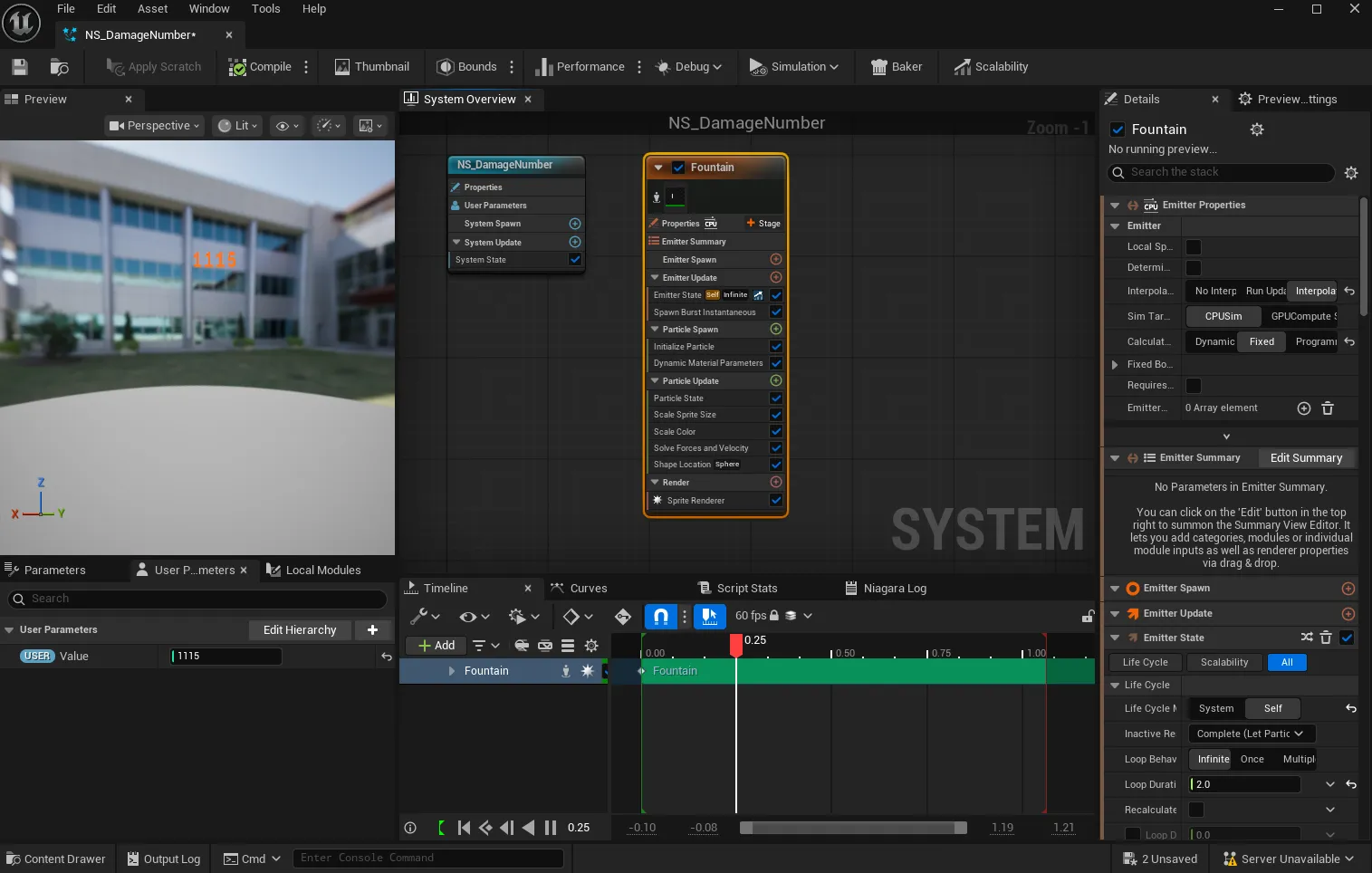
The component broadcasts a rich set of delegates: CharacterAttackEvent, CharacterAttackOnHitEvent, CharacterAttackAfterHitEvent, DamageProcessedEvent, HealthChangedEvent, CharacterDeathEvent, and OnAttributeModifierChanged. These allow VFX, audio, animation, and UI systems to react without coupling.
IDamageable Interface
Any Actor that can receive damage implements IDamageable, which exposes AppendAttributeData(). This allows the damage system to query attribute data from any target uniformly, regardless of its class hierarchy.
Health Bar Widgets
The module ships two ready-to-use health bar widgets built on UWidgetHealthBarBase:
- UWidgetPlayerHealthBar auto-binds to the player’s
UCoreAttributeComponent, supports shield display, auto-hide at full health, and player status icons. - UWidgetBossHealthBar displays boss name, phase/level text, portrait, threat indicator, and auto-hides after death with a configurable delay. It detects a “dangerous phase” when health drops below 25%.
Both support three style presets (Simple / Rich / Minimal), four color themes (Player / Boss / Enemy / Neutral), and configurable positioning (TopCenter / BottomCenter / WorldSpace / Custom). A low-health threshold (default 25%) triggers warning events for screen effects.
Debug Tooling
UAttributeDebugSubsystem auto-discovers all Actors with UCoreAttributeComponent and provides a screen overlay (toggled via console commands) showing live attribute values, modifier lists, and health status. UAttributeScreenDebugger renders this data in world space. Console commands include ToggleScreen, NextTarget, PreviousTarget, SelectTarget, SetDistance, and SetCount.
ActionModule: Gameplay Ability System
The ActionModule is the highest-level gameplay module, implementing a custom Gameplay Ability System built on Unreal’s GameplayTags infrastructure. It provides three core abstractions: UAction (an ability definition), UActionComponent (the ability manager), and AAbilityEntity (a spawned ability actor with hierarchical parent-child relationships).
Class Diagram
classDiagram
    class UAction {
        +FName ActionName
        +float CoolDown
        +int ActionLevel
        +int ActionCharge
        +FGameplayTagContainer GrantsTags
        +FGameplayTagContainer BlockedTags
        +FGameplayTagContainer ActionFeatureTags
        +StartAction(AActor*)
        +StopAction(AActor*)
        +CanActionStart(AActor*) bool
        +GetFinalCooldown() float
        +GetTotalAbilityHaste() float
        +AddPerActionHasteModifier(float, UObject*)
    }

    class UActionComponent {
        +TArray~UAction*~ Actions
        +FGameplayTagContainer ActiveGamePlayTags
        +float CachedAbilityHaste
        +AddAction(TSubclassOf~UAction~)
        +RemoveAction(TSubclassOf~UAction~)
        +StartActionByName(AActor*, FName)
        +ReduceCooldownByTag(FGameplayTag, float, bool)
    }

    class AAbilityEntity {
        +FName EntityName
        +float MaxLifetime
        +FDamageRequest BaseDamageRequest
        +float DamageScalingPerLevel
        +AAbilityEntity* ParentEntity
        +TArray~AAbilityEntity*~ ChildEntities
        +InitializeEntity(AActor*, UAction*)
        +SpawnChildEntity(TSubclassOf~AAbilityEntity~, FTransform, bool)
        +DealDamageToTarget(AActor*)
    }

    class IGameplayTagAssetInterface {
        <<interface>>
        +GetOwnedGameplayTags()
    }

    class IAbilityHasteListener {
        <<interface>>
        +OnAbilityHasteChanged()
        +GetCachedAbilityHaste() float
    }

    UActionComponent --> UAction : manages
    UActionComponent ..|> IGameplayTagAssetInterface
    UActionComponent ..|> IAbilityHasteListener
    UAction --> AAbilityEntity : spawns
    AAbilityEntity --> AAbilityEntity : parent-child hierarchy
UAction: Ability Definition
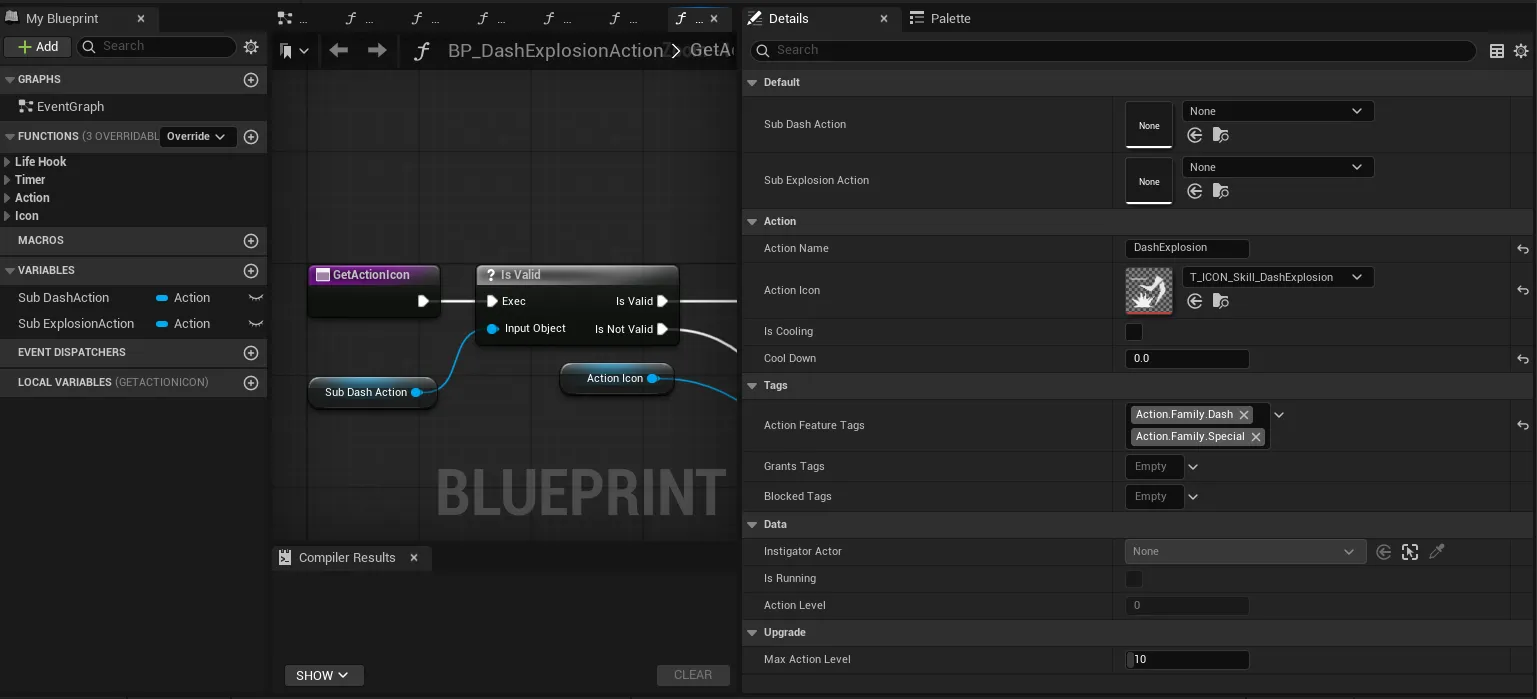
Each UAction represents a single ability. Key properties include:
- Tag System.
GrantsTagsare added to the owning Actor while the action runs.BlockedTagsprevent the action from starting if any are present on the Actor.ActionFeatureTagsclassify the action (e.g.,action.family.dash) for batch operations. - Cooldown. Base cooldown is modified by both global ability haste (from
IAbilityHasteListener) and per-action haste modifiers. Final cooldown =BaseCooldown * (1 - CDR). - Charge System. Actions can have multiple charges (
ActionCharge), allowing abilities like a triple-dash before entering cooldown. - Level System.
ActionLevel(0 = locked) withMaxActionLevelsupports ability upgrade trees. Level 0 actions cannot be started.
All lifecycle methods (StartAction, StopAction, CanActionStart) are BlueprintNativeEvent, so designers can override or extend them in Blueprint.
UActionComponent: Ability Manager
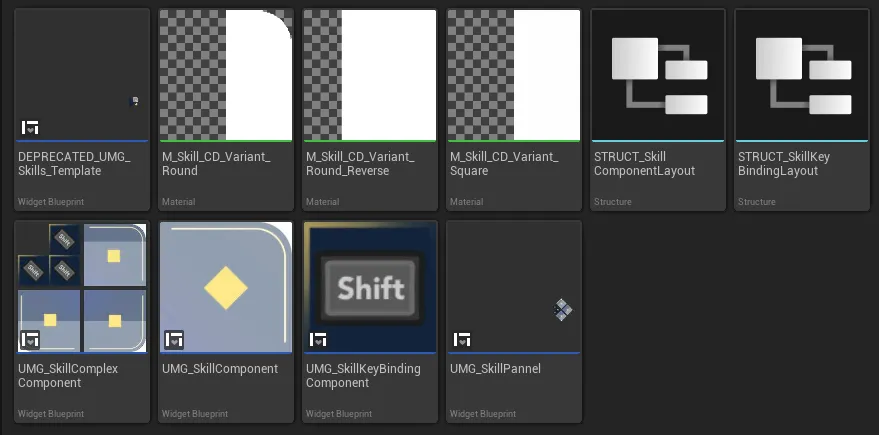
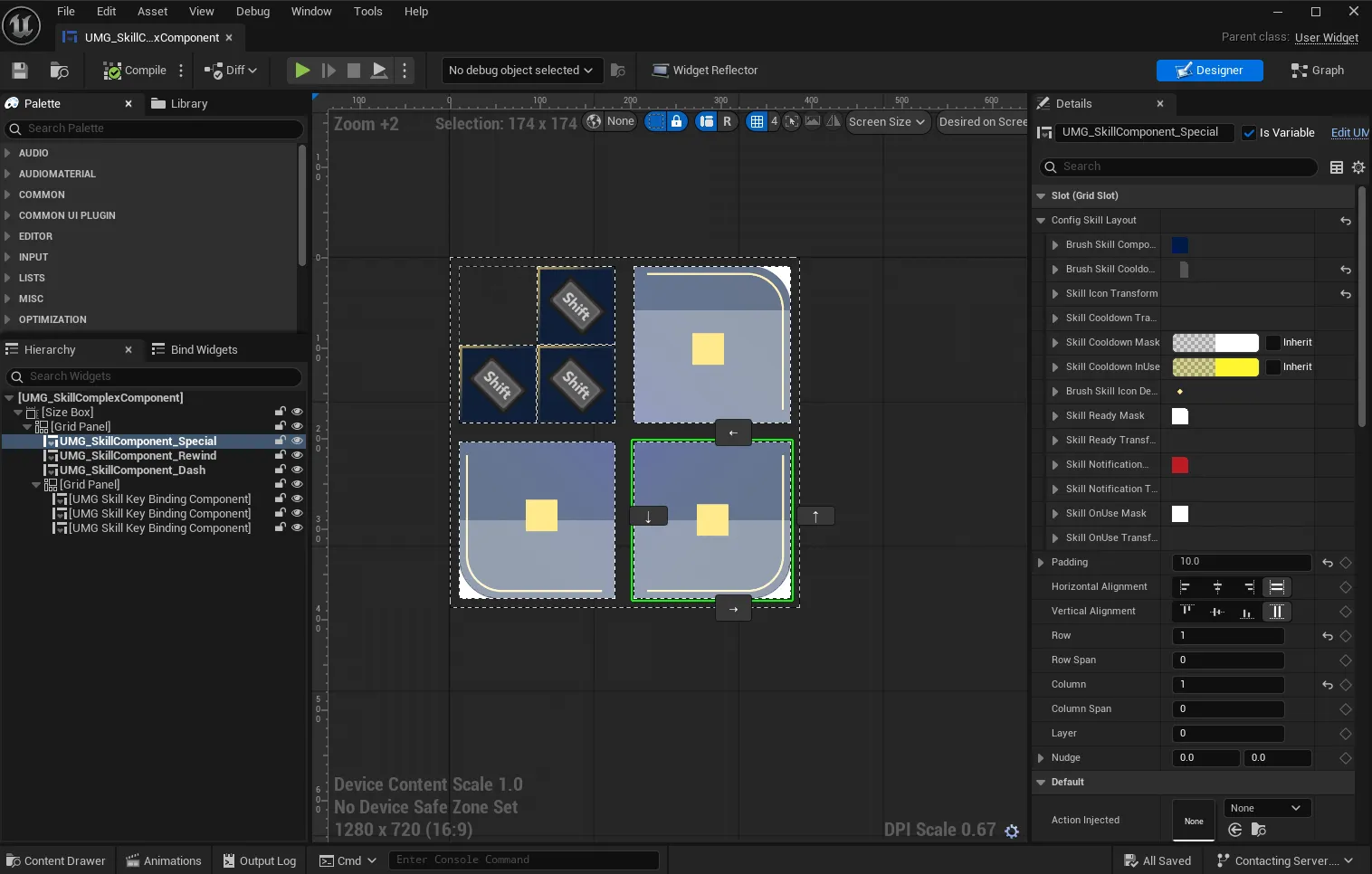
The component manages the action lifecycle on an Actor. It implements IGameplayTagAssetInterface so the tag state is queryable by any Unreal system, and IAbilityHasteListener to receive global haste changes from CoreAttributeModule.
Key capabilities:
- Start/stop actions by name, class, or GameplayTag.
- Batch cooldown reduction by tag (e.g., “reduce all dash-family cooldowns by 2 seconds”).
- Per-action haste injection by tag (e.g., a buff that gives +30 haste to all attack-family actions).
- Rich delegate set:
OnActionInstantiated,OnActionRemoved,OnAllActionInstantiated,OnActionStart,OnActionStop,OnActionCooldownComplete,OnActionChargeStackChange.
AAbilityEntity: Spawned Ability Actors
AAbilityEntity represents any actor spawned by an ability: projectiles, AOE zones, DOT fields, shields, etc. It features:
- Hierarchical Spawning. Entities can spawn child entities (e.g., a fireball that splits into smaller fireballs on impact), tracked via
ParentEntity/ChildEntitiesarrays withGenerationDepthandMaxChildrenCountlimits. - Source Tracking. Every entity carries references to its
OriginalInstigator(the player/AI),SourceAction(the ability that created it), and an optionalCustomSource. - Integrated Damage.
BaseDamageRequestis a templateFDamageRequestthat gets scaled byDamageScalingPerLevelbased on the source action’s level.OnPrepareDamageallows Blueprint modification before the damage is dealt.OnDamageDealtfires after. - Full Lifecycle Hooks.
OnEntitySpawned,OnEntityTick,OnEntityDestroyed,OnEntityActivated,OnEntityDeactivated, plus collision callbacks (OnEntityBeginOverlap,OnEntityHit,OnEntityEndOverlap), all asBlueprintNativeEvent.
UAbilityEntityLibrary provides Blueprint-callable batch operations: SpawnAbilityEntityFromAction, ApplyDamageInSphere, ApplyDamageInBox, GetEntitiesByTags, FindNearestEntity, and DestroyEntitiesByTags.
EventSubsystem: Global Event Bus
UEventSubsystem is a UGameInstanceSubsystem that centralizes cross-system communication. Rather than having modules reference each other directly for event notification, any system can broadcast or subscribe through this single hub. Two convenience macros simplify access:
// From any UObject with a world context
EventSystem->OnCountdownTick.AddDynamic(this, &AMyClass::HandleTick);

// Explicit world context version
GetEvent(GetWorld())->CountDownFinished.Broadcast();
Event Categories
Time / Currency Events. The game’s core time-manipulation mechanic is driven through these delegates: OnGlobalTimeDilationChanged, OnGlobalTimeDilationChangedBack, OnCountdownTick, OnCountDownFinished, OnCountDownRestartInGame, OnCountdownReduced, OnCountdownIncreased, OnSetCurrentLevelTime, OnUsingSkillToPauseTime, OnChangeTimeDilationOnActors, and OnRevertTimeDilationOnActors.
Player Events. GlobalCharacterDeathEvent (broadcasts the dying character), AnimeCheckComboNotify (animation combo window validation), and BossAreaEntered (triggers boss health bar and music).
HUD Events. RequestWidgetVisibilityChange allows any system to request showing/hiding a specific widget class without holding a direct reference.
Level Events. LevelOpenUp signals level transition readiness.
All delegates are DYNAMIC_MULTICAST and BlueprintAssignable, so both C++ systems and Blueprint actors can subscribe freely.
Design Philosophy
Across all four modules, several principles guided the architecture:
Blueprint-First Extensibility — Every significant method is a BlueprintNativeEvent or BlueprintCallable. Level Designers create new abilities, buffs, and damage types entirely in Blueprint by subclassing UAction, UBuffModel, or AAbilityEntity. No C++ compilation required for content iteration.
Tag-Driven Logic — GameplayTags replace hard-coded enums for ability classification, blocking conditions, and batch operations. This lets designers create new ability families (e.g., action.family.time_warp) and immediately use them in cooldown reduction or haste buffs without code changes.
Source-Tracked Modifiers — Every attribute modifier, buff, and damage event carries a Source reference back to its origin. This enables clean removal (e.g., when a buff expires, all its modifiers are removed by source), accurate kill attribution, and detailed combat logging.
Event-Driven Decoupling — Systems communicate through delegates rather than direct references. The damage pipeline broadcasts results; the health bar listens. The buff system broadcasts additions; the UI container listens. The EventSubsystem handles cross-cutting concerns like time dilation. No circular dependencies exist between modules.
Debug-Ready — Both the Buff and CoreAttribute modules ship with console command systems and screen debuggers, enabling rapid iteration without editor restarts.