SimpleMiner is a Minecraft-like 3D voxel game built entirely from scratch in C++17 on top of my custom Eurekiel Engine (DirectX 11). The project covers the full spectrum of voxel engine development: multithreaded chunk loading, procedural world generation with biome blending, a Minecraft-compatible JSON resource pipeline, flood-fill lighting propagation, AABB collision physics, and aggressive mesh optimization through hidden-face removal. Every system, from the texture atlas compiler to the block state machine, was designed and implemented by me as a solo developer.
Lighting & Atmosphere
Core Technical Highlights
Multithreaded Chunk System
Chunks are managed through a job-based pipeline: worker threads handle terrain generation and disk I/O, while the main thread owns mesh construction and GPU buffer uploads. A distance-sorted priority queue ensures the closest chunks are always processed first. The system supports up to 1024 concurrent generation jobs without starving the render thread.
graph LR
    A[Main Thread] -->|ActivateChunk| B[Pending Queue]
    B -->|Distance Sort| C[Worker Threads]
    C -->|GenerateJob| D[Terrain Data]
    C -->|LoadJob| E[Disk Data]
    D --> F[Completed Queue]
    E --> F
    F -->|ProcessCompleted| A
    A -->|RebuildMesh ≤4/frame| G[GPU Upload]
Procedural World Generation with Biome Blending
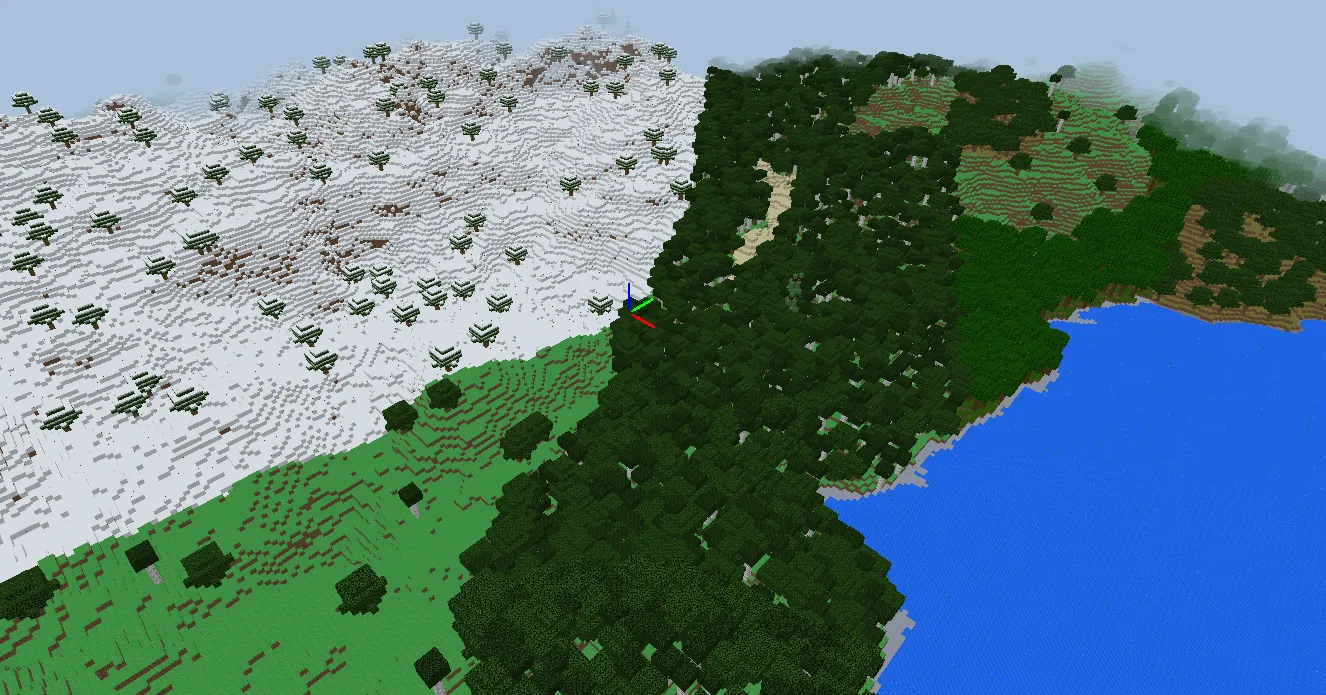
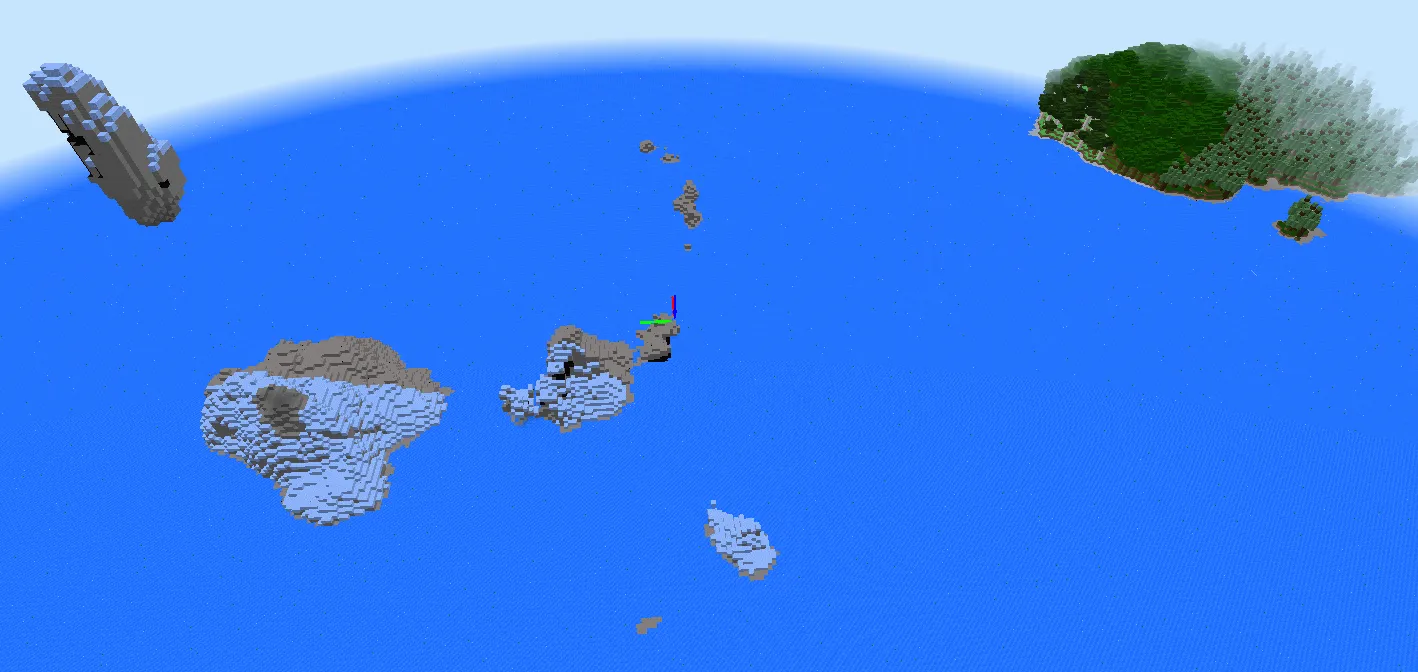
Terrain generation combines 2D Perlin noise for base heightmaps with 3D noise for cave carving and overhangs. Biomes (forest, plains, snow, taiga, jungle, desert, ice mountains) are selected via temperature and humidity noise maps, with smooth height blending at biome boundaries to avoid hard seams. Tree placement uses a separate noise pass with species-specific rules per biome.
Flood-Fill Lighting Algorithm
The lighting system uses a BFS flood-fill algorithm that propagates light values across blocks in all six directions. Sky light floods downward from the top of each chunk column, while block light (e.g., glowstone) radiates outward from emissive sources. Both light channels are packed into a single byte per block (4 bits sky + 4 bits block) to minimize memory overhead. When a block is placed or removed, a targeted dirty-propagation pass updates only the affected region rather than relighting the entire chunk.
AABB Physics & Collision
Entity physics supports three modes: walking (full gravity + collision), flying (no gravity + collision), and noclip (ghost mode). Collision detection uses a 12-point ray-cast approach with 3 vertical layers (feet, waist, head) × 4 corners, resolved per-axis to prevent wall sliding. Ground detection uses 4 downward rays from the entity’s base corners.
Minecraft-Compatible Resource Pipeline
One of the most technically involved systems is the JSON-driven resource pipeline, modeled directly after Minecraft’s resource and data pack format. This means any Minecraft-format JSON blockstate, model, or texture can be dropped into the project and rendered correctly.
Texture Atlas & Model Inheritance
At startup, the engine scans all registered block textures and compiles them into a single GPU texture atlas with generated UV coordinates. Block models are defined in JSON with full support for Minecraft’s model inheritance chain. A child model can extend a parent (e.g., block/cube_column extends block/cube) and override only the texture variables it needs. The model loader resolves the inheritance tree, substitutes texture variables, and emits the final face geometry.
Block State Machine: Stairs Deep Dive
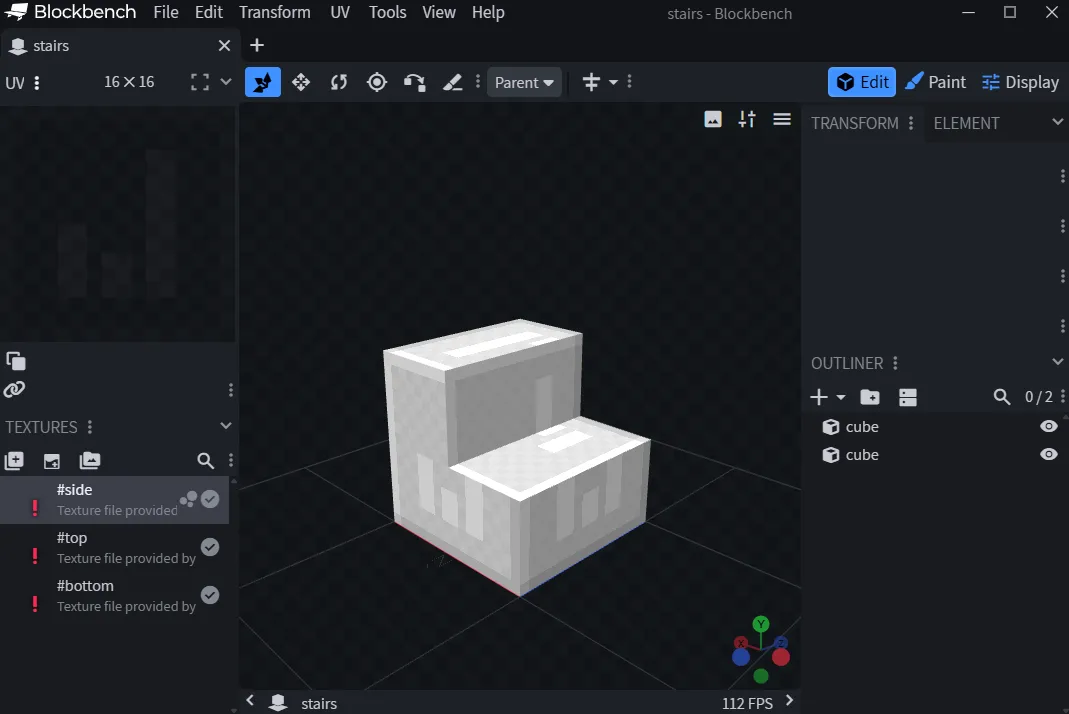
Stairs are the most complex block type in the system, with 40 unique block states generated from three properties: facing (4) × half (2) × shape (5). Here’s the full pipeline from player click to rendered geometry:
Step 1: Placement, Determining Facing & Half
When a player places a stair block, StairsBlock::GetStateForPlacement resolves two properties from the placement context:
- Facing (north/south/east/west): Taken directly from the player’s horizontal look direction. If you face east and place a stair, it faces east.
- Half (bottom/top): Click the top face of a block →
bottomstair. Click the bottom face →top(upside-down) stair. Click a side face → determined by whether the hit point is above or below the midpoint of that face.
// Facing = player look direction
Direction facing = ctx.GetHorizontalFacing();

// Half = based on which face was clicked
if (ctx.clickedFace == Direction::UP)
    half = HalfType::BOTTOM;
else if (ctx.clickedFace == Direction::DOWN)
    half = HalfType::TOP;
else
    half = ctx.IsTopHalf() ? HalfType::TOP : HalfType::BOTTOM;
Step 2: Shape Calculation, Neighbor-Aware Auto-Connecting
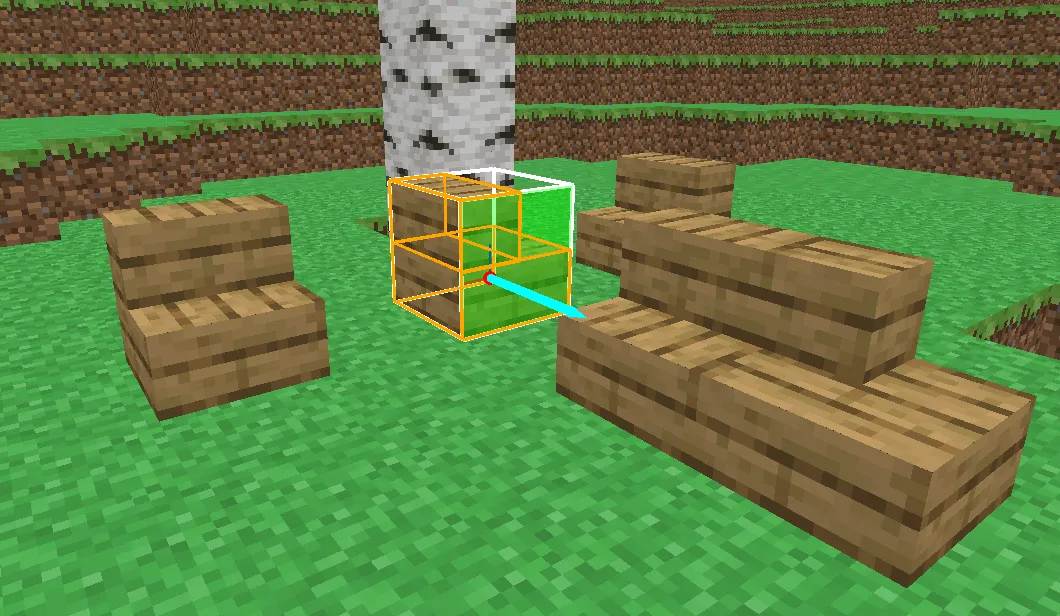
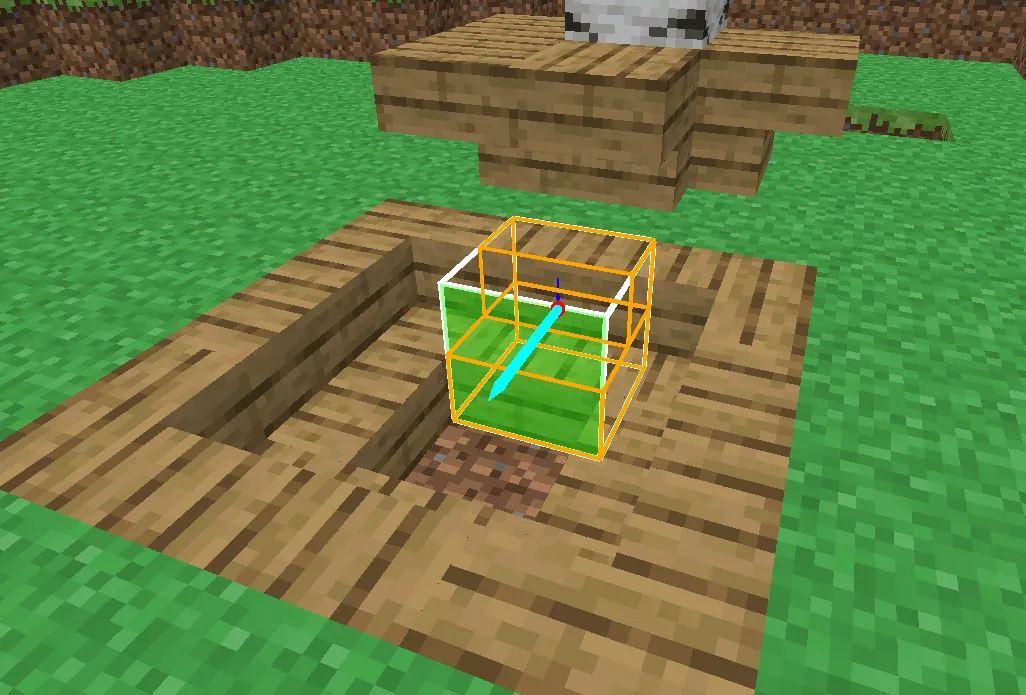
After facing and half are set, the system calculates the shape property by inspecting the two neighbors along the facing axis. This is where stairs become context-sensitive:
- Check front neighbor (the block in the facing direction): If it’s a stair with the same
halfand a perpendicular facing → outer corner. The relative turn direction (clockwise vs counter-clockwise) determinesouter_leftorouter_right. - Check back neighbor (opposite of facing): Same logic, but produces an inner corner (
inner_left/inner_right). - Default: If neither neighbor qualifies →
straight.
flowchart TD
    P[Player Places Stair] --> F[Facing = Player Look Dir]
    P --> H[Half = Click Face Logic]
    F --> SC[Shape Calculation]
    H --> SC
    SC --> FN{Front Neighbor<br/>is Stair?}
    FN -->|Same half +<br/>perpendicular facing| OC[Outer Corner]
    OC --> OL[outer_left / outer_right<br/>based on turn direction]
    FN -->|No| BN{Back Neighbor<br/>is Stair?}
    BN -->|Same half +<br/>perpendicular facing| IC[Inner Corner]
    IC --> IL[inner_left / inner_right<br/>based on turn direction]
    BN -->|No| ST[straight]
This also runs reactively. When any neighbor changes, OnNeighborChanged recalculates the shape, so placing a stair next to an existing one automatically updates both into corners.
Step 3: Block Data Definition (YAML)
Each stair type is registered with a YAML data file that declares its properties and valid values:
# oak_stairs.yml
display_name: Oak Stairs
block_class: StairsBlock
properties:
  facing: [north, south, east, west]
  half: [bottom, top]
  shape: [straight, inner_left, inner_right, outer_left, outer_right]
default_state:
  facing: north
  half: bottom
  shape: straight
opaque: false
full_block: false
The engine’s BlockRegistry reads this file, instantiates a StairsBlock, and calls GenerateBlockStates() to produce all 40 permutations. Each permutation is a unique BlockState* that can be stored in a chunk.
Step 4: Blockstate JSON, Mapping Properties to Models
The blockstate JSON maps every property combination to a model + rotation. Here’s a subset of oak_stairs.json (the full file has 40 entries):
{
  "variants": {
    "facing=east,half=bottom,shape=straight": {
      "model": "simpleminer:block/oak_stairs"
    },
    "facing=east,half=bottom,shape=inner_right": {
      "model": "simpleminer:block/oak_inner_stairs"
    },
    "facing=east,half=bottom,shape=outer_left": {
      "model": "simpleminer:block/oak_outer_stairs",
      "uvlock": true, "y": 270
    },
    "facing=east,half=top,shape=straight": {
      "model": "simpleminer:block/oak_stairs",
      "uvlock": true, "x": 180
    }
  }
}
The x and y fields are rotation angles applied to the base model. x: 180 flips the stair upside-down for top half. y: 270 rotates it to face the correct direction. uvlock: true prevents texture rotation when the model is rotated.
Step 5: Model Inheritance, Three Geometry Templates
Only three base geometry models exist in the engine, and all stair blocks inherit from them:
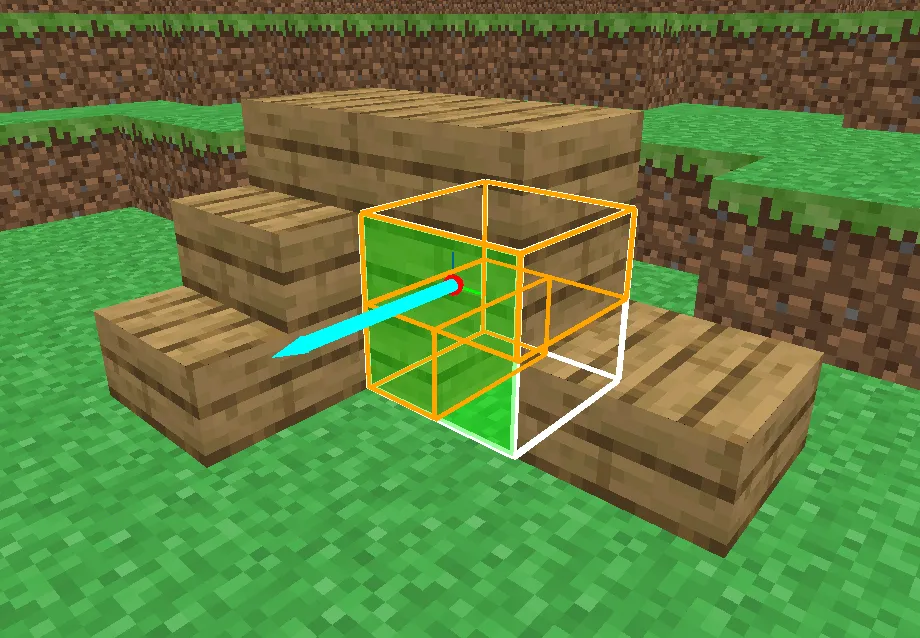
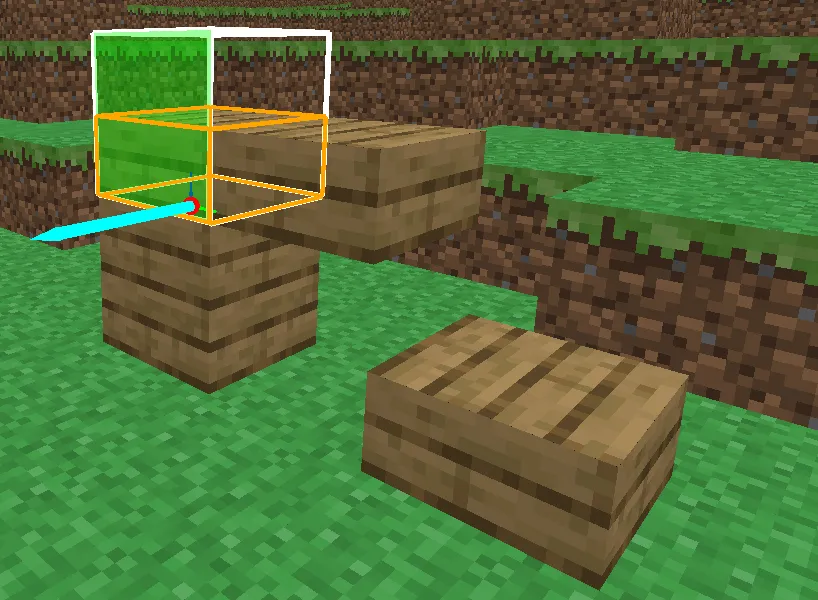
| Shape | Engine Base Model | Geometry |
|---|---|---|
| straight | block/stairs | Full bottom slab + half-width upper step (2 cuboids) |
| inner_left/right | block/inner_stairs | Full bottom slab + L-shaped upper step (3 cuboids) |
| outer_left/right | block/outer_stairs | Full bottom slab + quarter upper step (2 cuboids) |
A concrete stair like oak_stairs simply inherits and fills in textures:
{
  "parent": "block/stairs",
  "textures": {
    "bottom": "simpleminer:block/oak_planks",
    "top": "simpleminer:block/oak_planks",
    "side": "simpleminer:block/oak_planks"
  }
}
To add a new stair material (e.g., birch_stairs), you only need this 7-line JSON, a YAML data file, and a blockstate JSON pointing to the same three inherited models with birch textures. No C++ changes required.
Hidden-Face Removal & Mesh Optimization
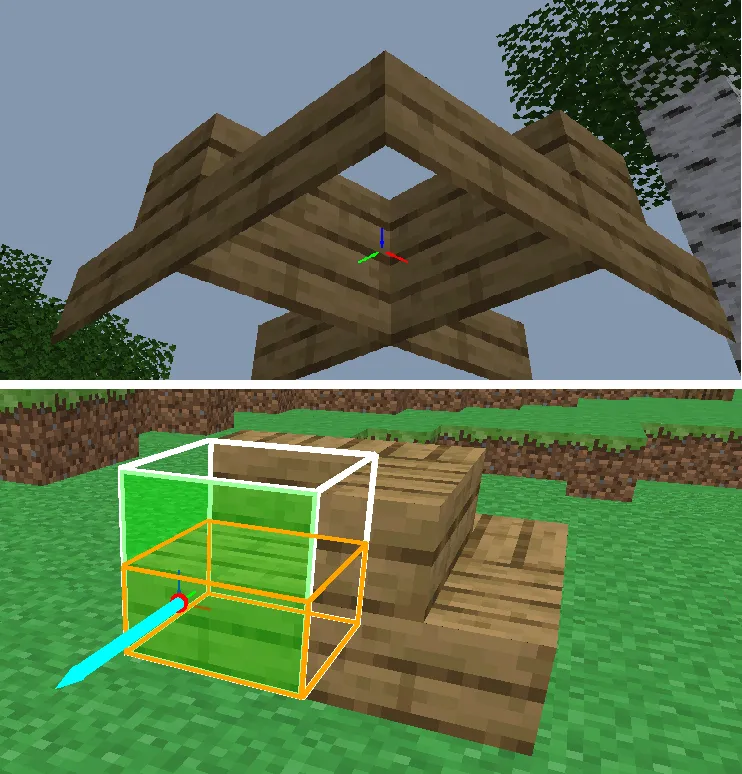
The mesh builder skips faces between two adjacent opaque blocks, dramatically reducing vertex count. For non-full-block shapes (stairs, slabs), per-face occlusion queries check the neighbor’s voxel collision shape rather than just its opacity flag, ensuring correct culling even at complex geometry boundaries.
Design Philosophy
Data-Driven Content — Adding a new block type requires only JSON files (blockstate, model, data) and a texture. The registry, atlas compiler, and mesh builder handle everything else automatically. This separation keeps the C++ codebase stable while content scales freely.
Engine-Game Separation — SimpleMiner is a game project built on top of the Eurekiel Engine. The engine provides voxel infrastructure (Chunk, World, BlockState, BlockIterator), rendering, audio, and input. The game layer owns world generation, player logic, and content definitions. This boundary is enforced at the project level.
Performance by Design — Every system is built with performance constraints in mind: packed light data (1 byte per block), distance-sorted chunk queues, per-frame mesh budget (≤4 rebuilds), job count caps to prevent thread pool starvation, and aggressive face culling. The result is smooth 60+ FPS with a 32-chunk render distance.